
How To Use Maan Win Self Service For Account Problems
Maan Win self service is the in-app Self Service Center for login, bank, UPI, USDT, deposit, withdrawal and game problems. You select the matching issue, submit it for review, and then check the result through Progress Query.
This route is useful when the problem needs a change inside your account, such as IFSC Modification, Delete UPI and Rebind, Delete Old USDT Address and Rebind, or Change ID Login Password. For simple doubts, the FAQ section inside Customer Service may be enough.
Use Self Service with exact details, because wrong issue selection can slow down the work order. If you are new and need to Register again, Maan Win requires an Invite Code, so enter PUWFKWN in the Invite Code field.
- Main Tool
- Self Service Center
- Status Check
- Progress Query
- Login Help
- Change ID Login Password
- Bank Help
- IFSC Modification
- UPI Help
- Delete UPI and Rebind
- Game Help
- Game Problems
On This Page
What Maan Win Self Service Does
The Self Service Center is inside Customer Service and shows Self Service, FAQ, Deposit Not Received, Withdrawal Problem, IFSC Modification and other account help topics. You use it when the issue has to be submitted for review, not only read as a basic FAQ answer.
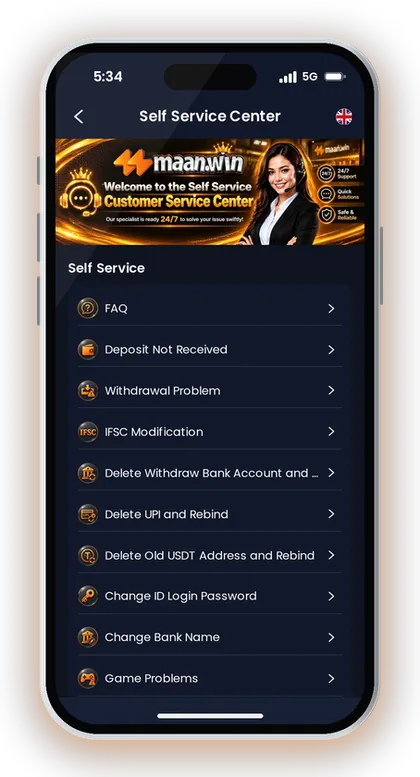
The useful part is the issue matching. A deposit delay, a UPI deletion request and a game round problem are not the same type of work order, so choosing the closest option gives the Customer Care specialist a clearer request.
A common mistake is sending every issue under Game Problems because it looks broad. If your bank name is wrong, choose Change Bank Name; if your UPI has to be removed, choose Delete UPI and Rebind; if a deposit has not arrived, choose Deposit Not Received.
For general platform updates and safety checks, keep an eye on the Maan Win blog because app, wallet and account topics can change. For a stuck work order or live account concern, use Maan Win customer care from the support area.
- Deposit Not Received for a credited payment that has not reached Balance
- Withdrawal Problem for a withdrawal request issue
- IFSC Modification for wrong or changed bank IFSC
- Delete UPI and Rebind for replacing a UPI account
- Delete Old USDT Address and Rebind for replacing a USDT address
- Game Problems for round, result or play-related issues
When Self Service Is Better Than FAQ
FAQ is better for simple questions such as where an option is placed or what a term means. Self Service is better when your account needs review, such as IFSC Modification, Delete Withdraw Bank Account and Rebind, or Delete Old USDT Address and Rebind.
If money is involved, keep the related Balance Record or transaction screen ready before you submit. A short, exact request is easier to review than a long message without the account issue.
What Happens After Submission
After you submit the matching question for review, a Customer Care specialist handles the request, and you must wait patiently. The app provides Progress Query to view the review result of the work order you submitted.
Do not submit the same request many times within a short gap. Duplicate work orders can make it harder for support to read the latest correct request.
Good To Know: Before you submit, match the problem type first; the right category is more useful than a long message in the wrong category.
How To Open The Self Service Center
Customer Service shows Self Service Center, Self Service, FAQ and Progress Query on the support page. You can reach support from the Profile area through Live Support, and then choose the matching service item.
The support options also show BANK PROBLEM, BONUS & EVENT, LOGIN PROBLEM, DEPOSIT AND WITHDRAW PROBLEM and GAME PROBLEM. This layout matters because it separates account changes from payment issues and game complaints.
If you are facing a Maan Win login problem, do not start with bank or withdrawal categories. Login issues sit under LOGIN PROBLEM, and the account page also has Account & Security for settings linked to account safety.
Players often type only “not working” and submit. Instead, state the exact issue, such as “forgot login password” or “old UPI needs deletion,” because the support team must know what to review.
- Open Profile from the bottom menu.
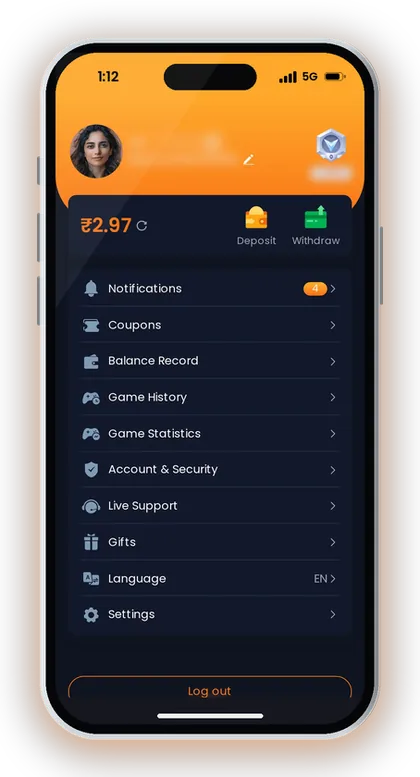
- Tap Live Support.
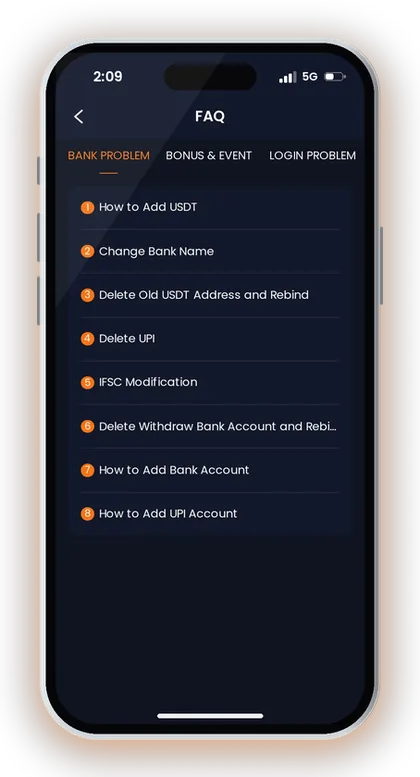
- Choose Self Service or FAQ.
- Select the exact issue category.
- Submit the request for review.
- Use Progress Query to check the result.
Good To Know: If the app is not loading correctly, read the Maan Win app update safety page before installing any new file from outside your usual source.
Login Problems And Password Changes
The Login page uses +91, Remember password, Forgot Password, Login and Register Now. If you cannot enter your account, start from the Maan Win login page and use Forgot Password before sending a support request.
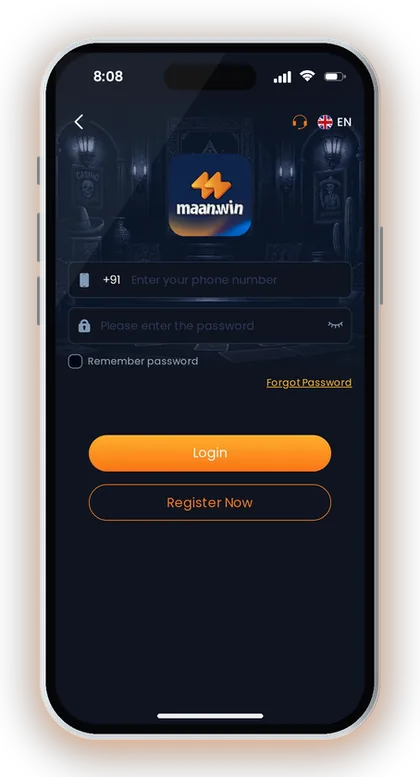
Self Service also lists Change ID Login Password. Use this when the normal login route is not enough or when the password issue needs Customer Care review.
New players sometimes Register again when they forget a password. That can create confusion because registration needs an Invite Code, and you must enter PUWFKWN in the Invite Code field if you are signing up.
Keep your mobile number format correct with +91. A wrong number, saved password error, or old password stored in the browser can look like a Maan Win login problem even when the account itself is fine.
- Check the +91 mobile number before tapping Login.
- Try Forgot Password if you cannot remember the password.
- Remove old saved passwords from shared phones.
- Use Change ID Login Password only for a real password issue.
- Enter PUWFKWN in Invite Code if you Register again.
Forgot Password First
Forgot Password is visible on the Login page, so use it before sending a Change ID Login Password request. This is quicker when you still have access to the required login details.
Remember password can help on your own phone, but avoid saving it on a shared device. If another person can open your account, your Balance and withdrawal details are at risk.
When To Use Change ID Login Password
Use Change ID Login Password when the regular recovery option does not solve the login issue. Write the request clearly, because Customer Care must understand that you need a password-related account review.
Do not mix login and payment problems in the same request. If your login is fixed first, you can later check Balance Record, Withdrawal, or Game History from inside the account.
Good To Know: Do not share OTPs, passwords or login details with anyone claiming they can fix your account faster.
Bank, IFSC And UPI Rebinding Requests
Self Service includes IFSC Modification, Change Bank Name, Delete Withdraw Bank Account and Rebind, Delete UPI and Rebind, and How to Add Bank Account. These options are for payment identity details, so accuracy matters more than speed.
Use IFSC Modification only when the IFSC linked to your bank account needs correction. Use Change Bank Name when the bank name itself is the issue, and use Delete Withdraw Bank Account and Rebind when the old bank account must be removed before adding another.
For UPI, the support option says Delete UPI and Rebind, and another help item says How to Add UPI Account. This is useful when your old UPI is closed, wrong, or no longer belongs to the bank account you want to use.
Do not keep changing bank and UPI details without a clear reason. Real-money apps usually review withdrawal account changes carefully because wrong details can delay money movement or cause failed requests.
| Issue | Use This Self Service Option | What To Check First |
|---|---|---|
| Wrong IFSC | IFSC Modification | Bank branch and IFSC |
| Wrong bank name | Change Bank Name | Bank name spelling |
| Old bank account | Delete Withdraw Bank Account and Rebind | Current withdrawal account |
| Old UPI | Delete UPI and Rebind | Active UPI ID |
| New bank setup | How to Add Bank Account | Account details |
Bank Account Changes
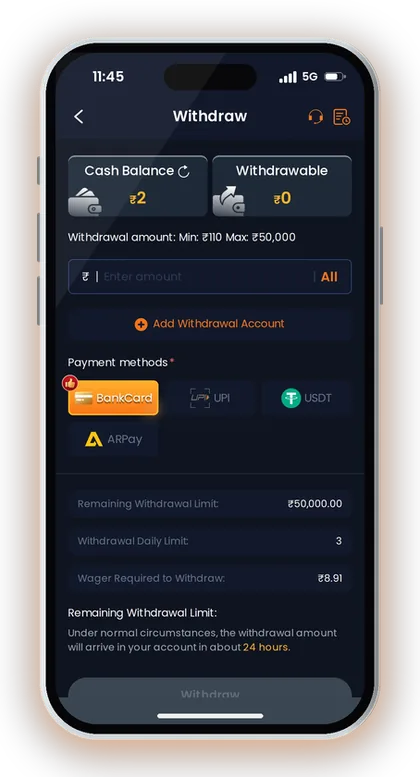
The withdrawal page has Add Withdrawal Account and payment methods like BankCard, UPI, USDT and ARPay. If BankCard details are wrong, fix the account details before making a fresh withdrawal request.
A practical example is a wrong IFSC after a branch change. In that case, IFSC Modification is the cleaner route than sending a general Withdrawal Problem request.
UPI Deletion And Rebind
Delete UPI and Rebind is the right route when the old UPI should not remain linked. After deletion is reviewed, use the UPI account option to bind the correct UPI details.
New players often add a family member’s UPI and later face confusion during withdrawal. Use payment details that match your own account information wherever the app asks for it.
Good To Know: For withdrawal-related account changes, read the Maan Win withdrawal page first so you know which method you are trying to fix.
USDT Address Rebinding And ARPay Checks
Customer Service includes Delete Old USDT Address and Rebind and How to Add USDT. Use these only for USDT address issues, not for normal UPI or BankCard withdrawal problems.
USDT mistakes can be more serious because the address and network must match the method you use. Maan Win shows USDT as a withdrawal method, and the withdrawal page also separates BankCard, UPI, USDT and ARPay.
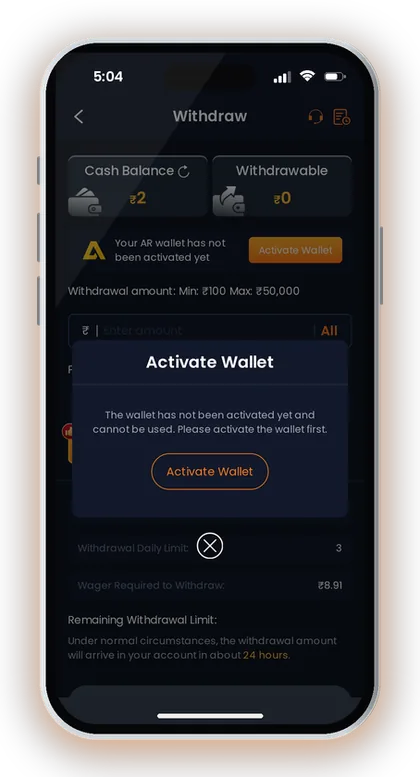
ARPay appears as a deposit and withdrawal method, while the ARPay withdrawal screen says the AR wallet has not been activated yet and shows Activate Wallet. If ARPay is not active, activate it before expecting that method to work.
Do not submit a USDT rebinding request without checking the old address you want removed. If you have more than one crypto wallet, write the request carefully so support understands which linked address is the problem.
- Check whether the issue is USDT, UPI, BankCard or ARPay.
- Use Delete Old USDT Address and Rebind only for saved USDT address changes.
- Use How to Add USDT when adding a USDT address needs help.
- Activate ARPay before using ARPay withdrawal.
- Do not mix crypto and UPI problems in one request.
When To Use USDT Rebind
Use Delete Old USDT Address and Rebind when your saved USDT address is old, wrong, or should be replaced. Use How to Add USDT when you need help adding a USDT address.
Do not use the USDT option for a UPI payment delay. Deposit Not Received and Withdrawal Problem are separate support routes for money movement issues.
ARPay Wallet Activation
The ARPay withdrawal screen says the wallet has not been activated yet and cannot be used until activation. If ARPay is your chosen method, check wallet activation before blaming the withdrawal form.
A player may deposit through UPI and then try ARPay withdrawal without activating the wallet. That mismatch can waste time, so check the method you plan to use before submitting support.
Good To Know: Copy any USDT address carefully from your own wallet; one wrong character can create a problem that support may not be able to reverse.
Deposit And Withdrawal Problems
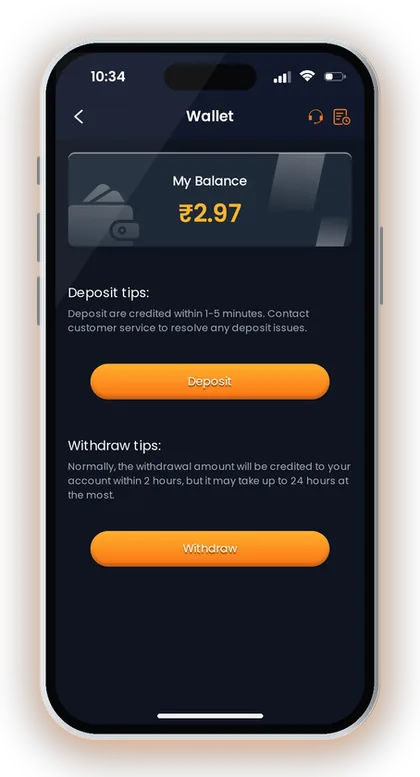
The Wallet page says deposits are credited within 1-5 minutes, and deposit issues should be taken to customer service. The Deposit page also says to contact customer service if the deposit does not arrive within 30 minutes.
Say you deposit ₹500 by UPI and your Balance does not update. First return to the Maan Win deposit page and check the account Balance, because the deposit tips specifically tell you to return to the deposit page after successful payment.
For withdrawal, the Wallet page says the amount is normally credited within 2 hours, but it may take up to 24 hours at the most. The withdrawal page also says that under normal circumstances, the withdrawal amount will arrive in about 24 hours.
Use Deposit Not Received for missing deposits and Withdrawal Problem for withdrawal issues. Do not send a Game Problems request for a payment delay, because game support and payment support need different checks.
- Check Balance after the payment.
- Return to the deposit page.
- Wait for the stated deposit credit time.
- Contact Customer Service if it is still missing after 30 minutes.
- Choose Deposit Not Received, not Game Problems.
- Use Progress Query after submission.
Deposit Not Received
The Deposit page warns you not to modify the payment amount and not to reuse saved QR codes or UPI accounts for multiple payments. These two mistakes are common reasons players create support issues after payment.
If the deposit is not visible after 30 minutes, open Customer Service and choose Deposit Not Received. Keep the payment amount and time ready, and check your Balance again before submitting.
Withdrawal Problem
The withdrawal page shows Add Withdrawal Account and separate methods for BankCard, UPI, USDT and ARPay. If the account detail is wrong, fix the payment account issue before making another withdrawal request.
A withdrawal delay should be judged against the app’s own timing, not panic after a few minutes. Use Withdrawal Problem when the request needs review, especially if the method details or status look wrong.
Good To Know: Never change the payment amount shown on the deposit page, because the app specifically tells you not to modify it.
Game Problems And Result Checks
Customer Service includes Game Problems, and the support options also show GAME PROBLEM as a category. Use it for round, result, loading or play issues inside Maan Win games, not for payment or bank changes.
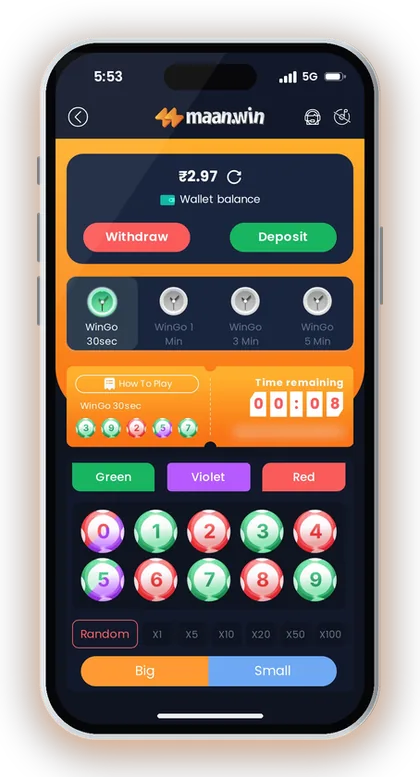
Maan Win games include Lottery, Crash, Slots, Sports, Fishing, Casino and Poker hubs. Popular examples on the platform include WinGo 30sec, Spribe Aviator, Mines, K3 1 Min, 5D 1 Min, Fortune Gems 2 and Cricket.
If you face a Maan Win game problem in WinGo, first note the period, number, Big Small result or colour result shown in Game history. The WinGo screen has Game history, Chart and My history, which helps you compare the round result with your own play record.
For broader game selection and categories, check Maan Win games before assuming every title works the same way. A 30sec lottery round feels very different from a slot or crash game, and support needs the exact game name.
- Game name
- Round length or game category
- Period or play time
- Result shown in Game history
- Your My history entry
- Balance change after the round
Lottery And WinGo Issues
WinGo shows 30sec, 1 Min, 3 Min and 5 Min round options. Shorter rounds create more entries quickly, so new players should be extra careful when checking My history after fast play.
If the issue is about a specific period, include the period and the result type. Writing only “colour wrong” is weaker than stating the game, round length and period shown in history.
Crash, Slots And Casino Issues
Crash, Slots, Casino and Poker titles come from different game providers on the platform. A loading issue in one title does not prove that every game is down.
Before submitting, try another game category and check whether Balance changed. If only one title has a problem, send the exact game name under Game Problems.
Good To Know: Real-money game results can be random, so use Game Problems for record mismatches or technical issues, not for a lost round alone.
Progress Query And Balance Records
Progress Query is shown inside the Self Service Center after the reminder about submitted work orders. Use Maan Win progress query to view the review result instead of sending the same complaint again.
The best time to check Progress Query is after you have submitted the correct issue type and waited for review. The support page says the Customer Care specialist will handle the submission, and you should wait patiently.
For money or play disputes, compare the support result with Balance Record, Game History and Game Statistics from the account page. The account page includes Balance Record, Game History and Game Statistics under Profile.
If you need to understand these records better, read Maan Win balance record before filing a fresh work order. A clear record check helps you separate a real missing balance issue from a normal game result.
- Open Customer Service.
- Tap Progress Query.
- Check the submitted work order.
- Read the review result.
- Compare it with Balance Record or Game History.
- Submit again only if the issue still needs review.
How Experienced Players Track A Work Order
Experienced players do not rely on memory for payment and game issues. They check Balance, Balance Record, Game History and the exact support category before using Progress Query.
If the same issue appears again after review, submit a fresh request with the old context only when needed. Do not flood the support page with repeated short messages.
What To Do If The Result Is Not Clear
If the review result is unclear, return to the same issue category and write a more exact request. Include only relevant details, such as IFSC issue, UPI deletion, USDT rebinding, deposit missing, withdrawal problem or game period.
For account access issues, fix login first, then check money records. You cannot properly review Balance or Game History if you cannot log in safely.
Good To Know: Keep your own playing budget small enough that a delayed review does not pressure you into repeated deposits.
Common Self Service Mistakes To Avoid
Maan Win separates LOGIN PROBLEM, BANK PROBLEM, DEPOSIT AND WITHDRAW PROBLEM and GAME PROBLEM in Customer Service options. This separation is useful only when you choose the correct category.
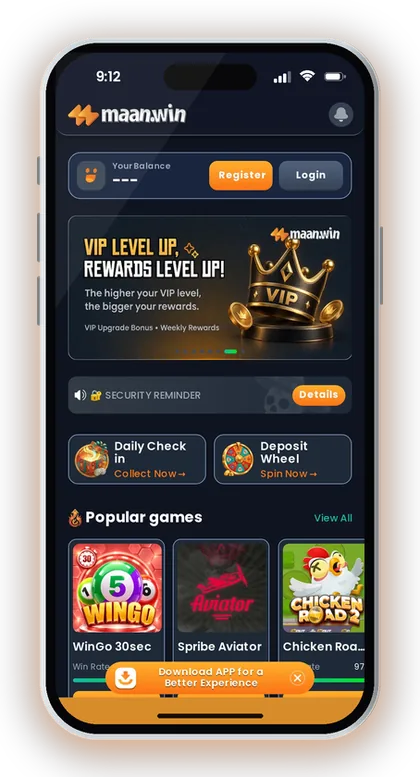
The biggest mistake is mixing many problems into one ticket, such as login password, missing deposit and game result in the same message. Support then has to guess the main issue, and that can slow down the review.
Another mistake is changing payment details after a withdrawal problem without checking which account is already bound. If the problem is an old UPI, use Delete UPI and Rebind; if the problem is an old USDT address, use Delete Old USDT Address and Rebind.
For new registration, do not leave the Invite Code field blank because registration on Maan Win requires it. Enter PUWFKWN exactly, then continue with the normal Register process shown on the app.
- Choose one issue category per request.
- Use Deposit Not Received only for missing deposits.
- Use Withdrawal Problem only for withdrawal issues.
- Use Game Problems only for game records or technical play issues.
- Use Progress Query instead of duplicate submissions.
- Enter PUWFKWN when registering a new account.
Good To Know: Play only if you are 18+ and allowed to use real-money gaming apps in your state, because rules differ across India.
Frequently Asked Questions
What is Maan Win self service used for?
Maan Win Self Service is used to submit account issues for review. It covers login password changes, deposit not received, withdrawal problems, IFSC modification, UPI deletion, USDT rebinding and game problems.
Where can I check my submitted Self Service request?
Use Progress Query inside the Self Service Center. It shows the review result of the work order you submitted, so check it before creating another request.
Which option should I use for a Maan Win login problem?
Start with Forgot Password on the Login page if you cannot remember the password. If that does not solve it, use Change ID Login Password in Self Service or the LOGIN PROBLEM category.
How do I fix a wrong IFSC or bank name?
Use IFSC Modification if the IFSC is wrong. Use Change Bank Name if the bank name needs correction, and use Delete Withdraw Bank Account and Rebind if the saved withdrawal bank account must be removed.
What should I do if my old UPI is linked?
Use Delete UPI and Rebind from Customer Service. After the old UPI issue is reviewed, use the UPI account option to bind the correct UPI details.
How do I change an old USDT address?
Use Delete Old USDT Address and Rebind for replacing a saved USDT address. If you need help adding USDT, use How to Add USDT from the support options.
When should I use Game Problems?
Use Game Problems for round result, game loading or play-record issues. Include the game name, round length if any, period, Game history result and your My history entry.
Do I need an Invite Code to Register on Maan Win?
Yes, registration on Maan Win requires an Invite Code. Enter PUWFKWN in the Invite Code field when you Register.
Read Next
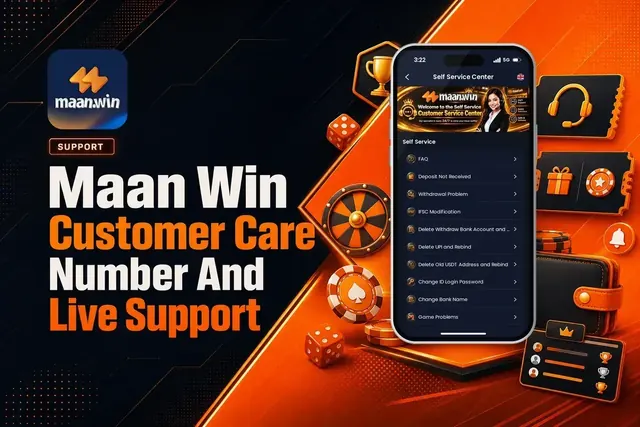
Maan Win customer care number help for India: use Live Support, Self Service Center, Progress Query, and fixes for depos
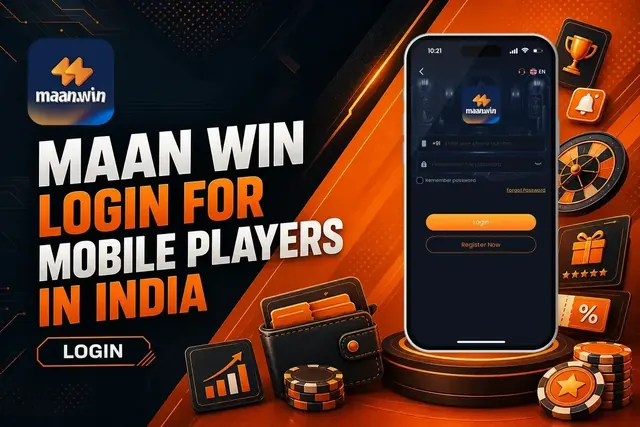
Use maan win login with +91, Remember password, Forgot Password, and safety checks. See what to do after Login and when
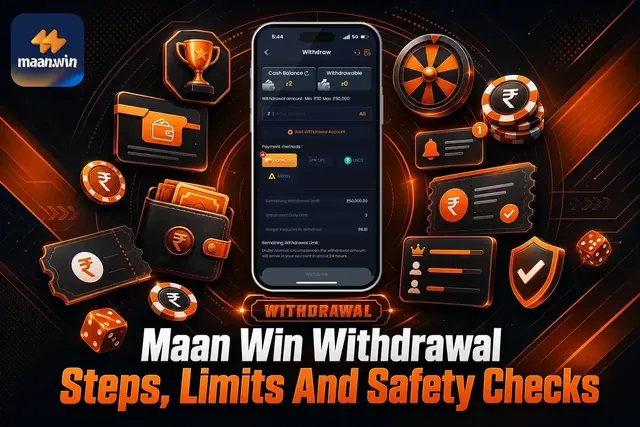
Maan Win withdrawal steps, limits and timing for BankCard, UPI, USDT and ARPay. Check what to do before you withdraw mon

Maan Win games include lottery, crash, slots, sports, fishing and poker. See what to play first, how rounds work and wha
Ready To Play On Maan Win?
Register on Maan Win in a minute and explore the games and offers.