
Maan Win Customer Care Number And Live Support
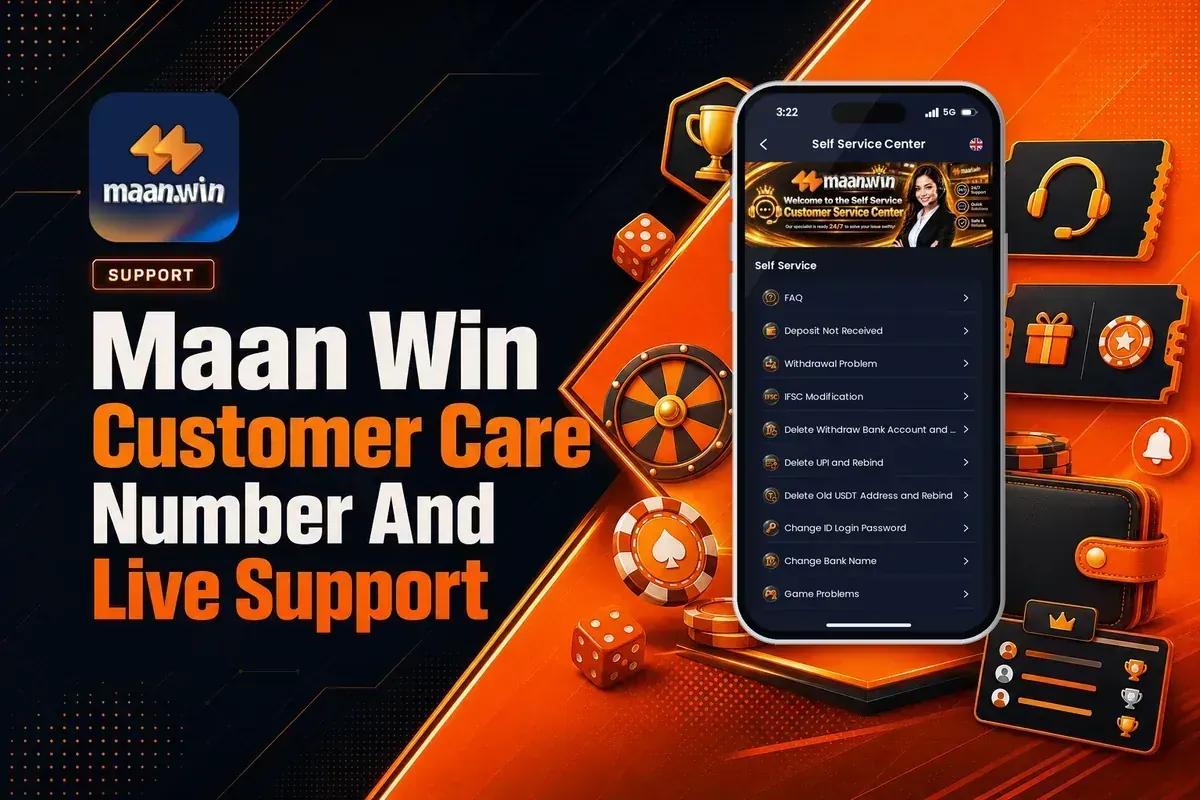
Maan Win customer care number searches usually lead to Live Support, because the app shows Customer Care through the Self Service Center, FAQ and Official Channel instead of a public phone line.
You can raise deposit, withdrawal, bank, UPI, USDT, login and game issues from the Customer service page. After you submit a question for review, use Progress Query to check the result.
If you are joining before using support, Register with the required Invite Code PUWFKWN. Without an invite code, Maan Win registration cannot be completed.
- Phone Help
- Use Live Support
- Deposit Delay
- After 30 minutes
- Withdrawal Time
- About 24 hours
- Work Order
- Progress Query
- Official Channel
- Telegram, WhatsApp
- Invite Code
- PUWFKWN
On This Page
Maan Win Customer Care Number: What You Should Use
Maan Win shows Live Support inside the Profile section and a Customer service page with Self Service, FAQ and issue forms. That is the practical route when you need help for money, account or game issues.
A new player often wastes time searching for a phone number when the faster action is to open the issue category and submit it for review. Maan Win also shows Progress Query, so you can check the status after the request is sent.
Before you raise a ticket, note the exact problem. For example, if a UPI deposit is paid but Balance does not update, your issue is Deposit Not Received, not Game Problems.
Good To Know: Use Live Support for account-specific issues because payment and withdrawal checks need your logged-in account details.
How To Open Customer Care On Maan Win?
The Maan Win account page shows Live Support under Profile, along with Notifications, Coupons, Balance Record, Game History, Account & Security and Gifts. Start from Profile because support needs the account you are logged into.
If you are not logged in, open the Maan Win login page and enter your mobile number with +91. If you still need to Register, use the required Invite Code PUWFKWN in the Invite Code field.
- Login to your Maan Win account.
- Tap Profile at the bottom of the app.
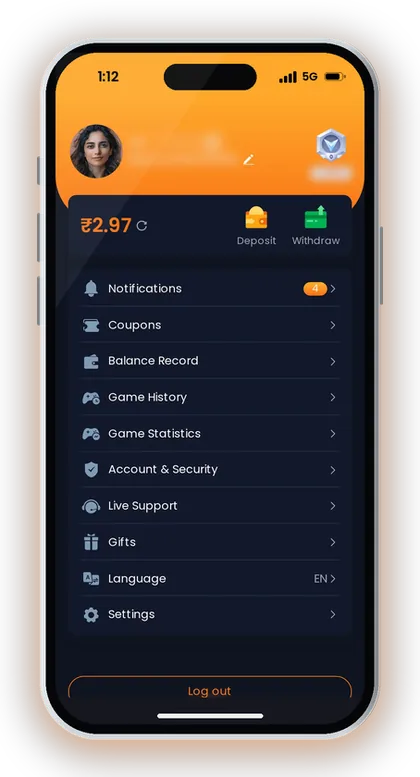
- Tap Live Support on the account page.
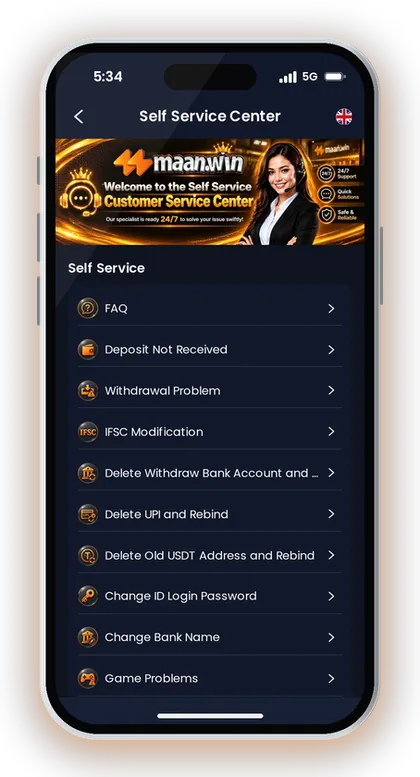
- Choose Self Service or FAQ.
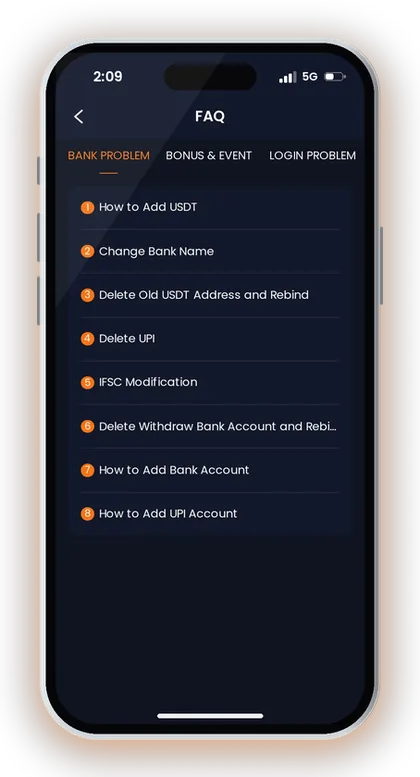
- Select the matching issue, such as Deposit Not Received or Withdrawal Problem.
- Submit the question for review.
- Open Progress Query to check the review result.
Good To Know: Do not raise the same issue under many categories; it can make your own tracking harder in Progress Query.
What The Customer Service Screens Show
The Customer service page has Self Service Center, Self Service, FAQ, Official Channel and a Reminder. The Reminder says you should select the corresponding question and submit it for review.
The same page says that after successful submission, the customer service specialist will handle it, and you should wait patiently. This matters because repeated messages before review can create confusion for the same issue.
Self Service Center
Self Service Center is the right place for clear account actions like IFSC Modification, Delete UPI and Rebind, Delete Old USDT Address and Rebind, and Change ID Login Password. Pick the exact option that matches your issue.
For payment failures, choose Deposit Not Received or Withdrawal Problem. These names are better than a general message because the support team can read the issue type immediately.
FAQ And Progress Query
FAQ has categories such as BANK PROBLEM, BONUS & EVENT, LOGIN PROBLEM, DEPOSIT AND WITHDRAW PROBLEM and GAME PROBLEM. Use FAQ first when you only need to know which support option fits your issue.
Progress Query is used after you submit for review. Check it instead of raising a fresh request for the same deposit, UPI or bank change.
Good To Know: Choose the narrowest issue category because a bank name change, IFSC change and UPI delete request are handled differently.
Maan Win Deposit Not Received: Correct Support Steps
Maan Win deposit tips say deposits are credited within 1-5 minutes. If the deposit does not arrive within 30 minutes, contact customer service for help.
Say you deposit by UPI and your bank shows payment success, but Balance still does not update. Do not make the same payment again using an old QR code; Maan Win specifically says not to reuse saved QR codes or UPI accounts for multiple payments.
Also do not modify the payment amount. If the amount on the payment app differs from the amount you selected on the Maan Win deposit page, matching the payment becomes harder.
For a Maan Win deposit not received case, use Deposit Not Received in Self Service. Keep your issue simple: paid successfully, returned to the deposit page, Balance not credited after 30 minutes.
Good To Know: After payment success, return to the Maan Win deposit page and check Balance before sending a support request.
Maan Win Withdrawal Problem: When To Raise A Request
Maan Win withdrawal tips say the amount normally reaches your account within 2 hours, but it may take up to 24 hours at most. The withdrawal page also says under normal circumstances it will arrive in about 24 hours.
If you raise a Maan Win withdrawal problem too early, support may still be waiting for the normal processing window. First check your Withdrawable amount, payment method and any Wager Required to Withdraw shown on the screen.
The withdrawal page supports BankCard, UPI, USDT and ARPay. If you selected the wrong saved account or need to delete and rebind details, use the relevant Self Service option instead of a general withdrawal complaint.
For limits and method details, check the Maan Win withdrawal page before sending a ticket. This avoids a common mistake where the issue is not support delay, but an amount or account setting mismatch.
Good To Know: Wait for the shown processing time unless your account details are wrong or the app asks you to fix withdrawal information.
Bank, UPI, USDT And IFSC Support Options
Maan Win Customer Care includes IFSC Modification, Change Bank Name, Delete Withdraw Bank Account and Rebind, Delete UPI and Rebind, and Delete Old USDT Address and Rebind. These options are for account details, not game results.
Use these forms carefully because wrong bank or UPI changes can delay your next withdrawal. Experienced players fix account details before placing a withdrawal request, not after money is already pending.
- Select the exact support option shown for your issue.
- Check whether the issue is BankCard, UPI, USDT or ARPay.
- Use Progress Query after you submit the request.
- Do not create a second request for the same account change until the first review result appears.
When To Use Bank Support
Use IFSC Modification when the IFSC needs correction. Use Change Bank Name when the bank name needs correction, and use Delete Withdraw Bank Account and Rebind when you need to remove an old withdrawal bank account.
Do not mix bank and UPI issues in one request. A bank account delete request and a UPI rebind request are different checks.
When To Use UPI Or USDT Support
Use Delete UPI and Rebind when your old UPI needs to be removed before adding a new one. Use Delete Old USDT Address and Rebind when the saved USDT address has to be replaced.
For ARPay, the withdrawal screen says the AR wallet must be activated first. If your AR wallet is not active, activate it before expecting ARPay withdrawal to work.
Good To Know: Fix saved withdrawal details before you press Withdraw, because wrong account details can slow down the request.
Login, Register And Password Help
The Login page shows +91, Remember password, Forgot Password, Login and Register Now. If your issue is password access, choose the login-related support option instead of a payment option.
If you are registering for the first time from the Maan Win home page, enter the required Invite Code PUWFKWN in the Invite Code field. Maan Win registration is not completed without an invite code.
For a forgotten password, use Forgot Password from the login screen and keep the mobile number format correct with +91. If that does not solve it, Customer service has Change ID Login Password under Self Service.
Good To Know: Do not share your login password in any support message; use the password change option instead.
Official Channel, App And Safety Checks
Maan Win shows Official Channel in Customer service, and the Gift Code page shows Telegram and WhatsApp for official channel bonuses. Use the Maan Win official channel only when you want official updates, bonus messages or channel links.
The homepage before login shows a Security Reminder, and the logged-in homepage shows Download APP for a Better Experience. If you prefer playing from the app, use the Maan Win app download page instead of random files shared in chats.
Real-money gaming rules differ by state in India, and every game result can involve loss. Set a playing budget before Deposit and do not chase a failed round with a bigger amount.
Good To Know: Ignore anyone asking for your password, OTP or saved payment access in the name of customer care.
Which Support Option Should You Pick?
Maan Win support works best when you match the issue to the correct category. A deposit delay, withdrawal delay, game problem and bank change should not be sent as the same type of request.
The simple test is this: if money was paid but Balance did not update, choose Deposit Not Received; if withdrawal is pending or account details are wrong, choose Withdrawal Problem or the relevant bank or UPI change option.
For game rounds, use Game Problems. Do not use payment support for a WinGo, Aviator, Mines, slot, casino or poker result dispute unless the issue is actually Balance movement.
| Issue | Best Option | First Check |
|---|---|---|
| Paid but no Balance | Deposit Not Received | Wait 30 minutes |
| Withdrawal pending | Withdrawal Problem | Check 24 hours |
| Wrong IFSC | IFSC Modification | Bank details |
| Old UPI saved | Delete UPI | Rebind request |
| Game round issue | Game Problems | Game history |
Good To Know: Keep your support request short and exact; long mixed messages make payment, bank and game checks slower.
Frequently Asked Questions
What is the Maan Win customer care number?
Maan Win shows Customer Care through Live Support, Self Service Center, FAQ, Official Channel and Progress Query. Use Live Support from Profile instead of waiting for a public phone number.
How do I contact Maan Win Live Support?
Login to your account, open Profile and tap Live Support. Choose Self Service or FAQ, select the correct issue and submit it for review.
What should I do if my Maan Win deposit is not received?
Deposits are credited within 1-5 minutes. If the deposit does not arrive within 30 minutes, open Customer service and choose Deposit Not Received.
How long should I wait before reporting a withdrawal issue?
The Wallet page says withdrawals normally arrive within 2 hours, but may take up to 24 hours. The withdrawal screen also says the amount arrives in about 24 hours under normal circumstances.
Can Customer Care help me change bank or UPI details?
Yes. Customer service includes IFSC Modification, Change Bank Name, Delete Withdraw Bank Account and Rebind, Delete UPI and Rebind, and Delete Old USDT Address and Rebind.
Where can I check my submitted support request?
Use Progress Query after submitting the issue for review. This is the correct place to check the review result of your work order.
Do I need an invite code before contacting support?
You need an account to use account-based support. If you are registering first, enter the required Invite Code PUWFKWN because Maan Win registration is not completed without an invite code.
Read Next
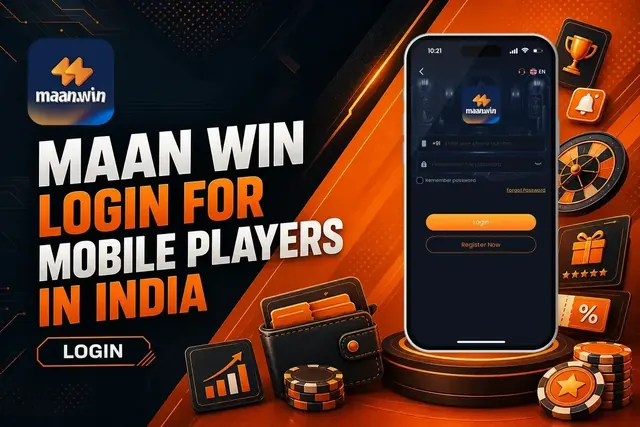
Use maan win login with +91, Remember password, Forgot Password, and safety checks. See what to do after Login and when
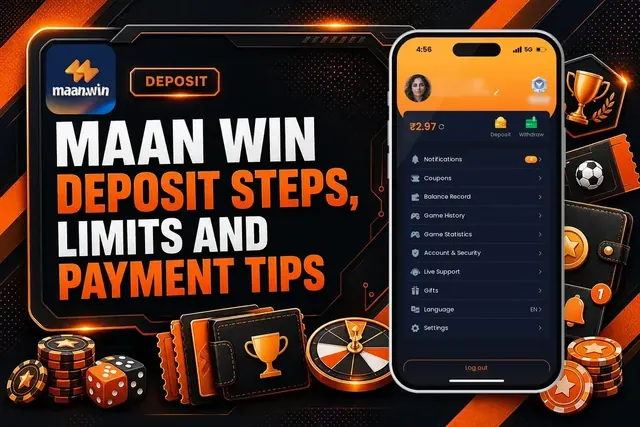
Maan Win deposit steps for India: UPI, USDT and ARPay limits, credit time, pending payment fixes and checks before you a
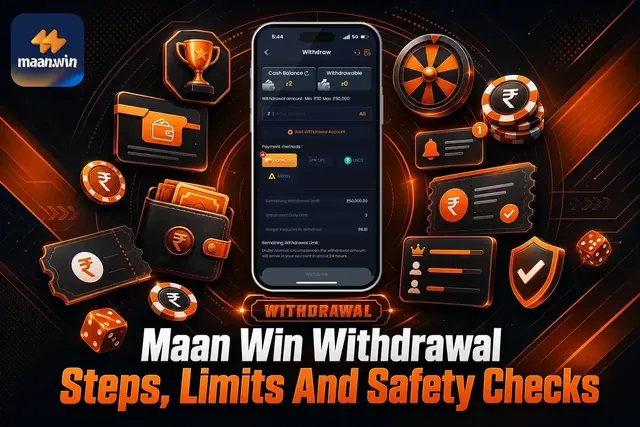
Maan Win withdrawal steps, limits and timing for BankCard, UPI, USDT and ARPay. Check what to do before you withdraw mon
Maan Win app download steps for India: install from the home page, register with invite code PUWFKWN, login, play games,
Ready To Play On Maan Win?
Register on Maan Win in a minute and explore the games and offers.